
Payroll & Remote Workforce Issues
Article Summary: Every time you hire a remote employee in a new state, your payroll becomes a little more complicated. With each hire, you’re subject to new income tax laws, unemployment requirements, benefits, and much more. Read our blog to learn more about payroll and remote workforce issues.
Disclaimer: This article provides general guidance on taxes and benefits. Always consult with your CPA, insurance broker, and attorney for advice specific to your unique business.
For most business owners, running a 100% compliant payroll is a difficult challenge. And it only grows more difficult when remote employees work in different states.
The reason: Every state has its own payroll laws to follow, which is enough for many business owners to consider outsourcing payroll entirely.
There’s no easy way around it. Even working with independent contractors isn’t a foolproof solution, as most hiring managers struggle to tell the difference between a W-2 employee and a 1099 worker.
Keep your company protected by reviewing the latest payroll and remote workforce issues.

The Payroll Challenges of Remote Workers
Every state in the US has slightly different rules on everything payroll-related. For example, each state has its own guidelines and regulations surrounding:
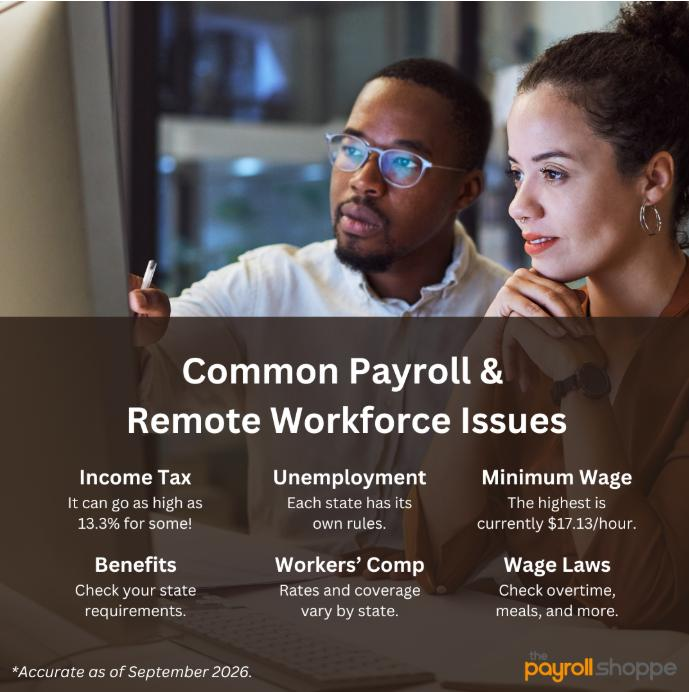
- State Income Tax Withholding – In Pennsylvania, the state income tax is 3.07% (as of 2026), but it can get much higher. California, for example, goes as high as 13.3% for high-income earners.
- Unemployment Insurance – Every state manages its own unemployment insurance program, and each one has its own rules, pricing, and requirements. Tip: Read our article on understanding your state unemployment rates.
- Minimum Wage – As of 2026, Pennsylvania still follows the federal minimum wage of $7.25/hour, but Washington state currently has the highest statewide minimum wage: $17.13/hour. Read our Tips On Running Payroll For Restaurants to learn more about minimum wage for tip-earning workers.
- Paid Leave – More than a dozen states require employers to provide multiple weeks of paid family and medical leave.
- State-Mandated Benefits – Depending on where your remote employee works, you may need to provide or contribute to state-required programs such as disability insurance or retirement savings. A benefits package that keeps you compliant in one state may not meet the requirements in another.
- Workers’ Compensation – Workers’ compensation requirements, rates, and coverage rules vary by state. When you hire a remote employee, you generally need coverage in the state where that employee physically performs their work—even if your company has no traditional office there.
- Pay Frequency & Wage-and-Hour Laws – Out-of-state employers are responsible for adhering to rules surrounding pay frequency, overtime, employee classification, meals and rest breaks, pay-stub information, final paycheck deadlines, reimbursement for required business expenses, and more.
Payroll Triggers for Each State
When an employee lives in, works from, or moves to a new state, you could automatically have nexus there, which could require you to:
- Register with the state.
- Withhold taxes according to that state’s requirements.
For example, let’s say your company is headquartered in Pittsburgh, but you have a remote employee working from a home office in Morgantown, WV. In this case, you’d actually pay local income tax and unemployment tax based on the standards set for that city.
Where to Register Your Business
Here’s where it starts to get complicated: When you register your business in the state, what address do you use?
Where to Register With A Brick-and-Mortar Location
If you have a brick-and-mortar building, it’s an easy answer: Use the address of your building.
Where to Register With One Remote Employee
But if you have one remote employee, what do you do?
Believe it or not, you typically use the address of where they work as their own jobsite. So, if they have a home office, you’d use their home as the address for your business in the state—because the employee is generating income from that location.
Getting back to our previous example: If you have a Pittsburgh-based business and a remote employee living and working from her home in Morgantown, WV, you’d use that Morgantown address when you register your business.
At the same time, you would continue to use your Pittsburgh location as the headquarters for your business.
Where to Register With More Than One Remote Employee
With more than one remote employee in the state, you would register each of their addresses as a different jobsite.
Payroll Compliance Risks With Remote Workers
With so many separate rules and regulations to monitor, here are some of the biggest risks to avoid when hiring and paying remote workers:
- Incorrect Tax Withholding – This is where problems most often arise. For nearly every state, you’re required to withhold applicable income taxes and pay state unemployment contributions. One small mistake could become a costly error—especially if it’s not caught right away.
- Missed Filings – It’s hard enough keeping on top of your filings in one state! But when you have employees all over the country, it grows even more challenging.
- Inaccurate Employee Data – This is an easy one to flub—and it’s not your fault. Remote employees can quickly move apartments or their homes without you noticing. But if you don’t catch it, your personnel information becomes outdated—which can lead to a W-2 with an inaccurate address during tax season.
Tip: Create a company policy that requires employees to report:
- Permanent address changes
- Changes to their primary work location
- Temporary work in another state
- The effective date of any move
Find Ongoing Payroll Support
Don’t leave payroll compliance to chance. Our dedicated team of payroll specialists is standing by to ensure every payroll is on time and 100% accurate.
Contact us to learn more!